





Controls
- Drive: arrow keys
- Zoom: mouse scroll
- Control the camera: hold the right mouse button
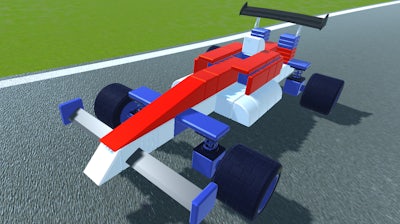
Genius Car 2


Play Genius Car 2 Online Free
Instructions
Controls
- Drive: arrow keys
- Zoom: mouse scroll
- Control the camera: hold the right mouse button
Why Genius Car 2 Dominates the Sandbox Scene
Genius Car 2 drops you into a fully 3D simulation where every bolt, chassis, and engine part obeys real‑world physics. Build, test, and race cars that look insane and drive like a dream. The sandbox freedom lets you experiment without limits, and the building tools feel as precise as a workshop bench. If you crave a Car construction experience that rewards creativity, this is the title that finally delivers.
Master the core controls and start shaping your dream vehicle in minutes. The interface is lean, so you spend more time on the road and less on menus. Follow the exact commands below to stay in control:
- Controls Drive: arrow keys
- Zoom: mouse scroll
- Control the camera: hold the right mouse button
GamaVerse Sandbox Mastery
Winning in Genius Car 2 isn’t just about slamming parts together. Start with a solid chassis, then layer suspension, drivetrain, and aerodynamics in that order. Use the physics engine to fine‑tune weight distribution—shift components forward or back to improve handling on tight corners. Upgrade tires and brakes as you progress; each upgrade unlocks new challenges that keep the gameplay loop fresh. Remember, the best builds balance speed with stability, so test every tweak on the hill climb or drag strip before moving on.
Ready to dominate the garage? Jump into Genius Car 2 now and see how far your imagination can go. Powered by GamaVerse, this sandbox simulation redefines car building for the modern gamer. Build, race, repeat—your masterpiece awaits.
