





Controls
- PC control = use the left mouse button on game elements
- Mobile control = touch / swipe on game elements on the screen
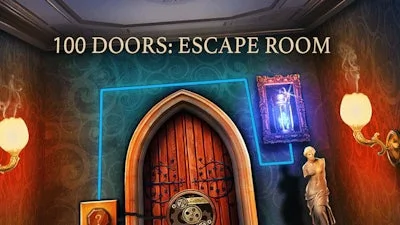
100 Doors: Escape Room


Play 100 Doors: Escape Room Online Free
Instructions
Controls
- PC control = use the left mouse button on game elements
- Mobile control = touch / swipe on game elements on the screen
100 Doors: Escape Room – GamaVerse Puzzle Challenge
Locked rooms, cryptic clues, and a ticking clock. 100 Doors: Escape Room drops you into the crumbling halls of Lord Kelly’s Lost Estate, where every door hides a new brain‑teaser. You’re not just a player—you’re a detective hunting for the truth behind betrayal and hidden love. Miss a clue and the door stays shut, so every move matters. If you love a good escape puzzle that rewards razor‑sharp logic, this is the title that will keep you glued to the screen.
Controls are razor‑simple, letting you focus on the puzzles instead of button combos.
- PC control: Use the left mouse button on interactive elements.
- Mobile control: Tap, swipe, or drag on screen objects to manipulate levers, keys, and hidden panels.
Mastering the game isn’t about brute force; it’s about strategy and pattern recognition. Start by scanning each room for subtle visual hints—a misplaced book, a faint scorch mark, a half‑opened drawer. Those details often hide the next key or a code fragment. Keep a mental (or physical) note of recurring symbols; the game recycles them in clever ways. When you hit a dead end, backtrack and re‑examine the environment with fresh eyes—many players unlock new paths simply by rotating a picture frame or flipping a rug. The more you train your detective instincts, the faster you’ll crack the layered riddles that guard the final escape.
Ready to prove you’ve got the mind of a master sleuth? Grab 100 Doors: Escape Room now and let GamaVerse test your wits. Each door you open brings a rush of triumph; each puzzle you solve fuels the next obsession. Install, click, and start cracking—your ultimate escape awaits.
