





Controls
- Move: WASD
- Jump: space bar
- Inventory: Q
- Crafting: C
- Toggle Flying: R
- Destroy block: Left mouse button
- Place block: right mouse button
- Select inventory block: 1,2,3...
- Esc: pause menu
World Craft


Play World Craft Online Free
Instructions
Controls
- Move: WASD
- Jump: space bar
- Inventory: Q
- Crafting: C
- Toggle Flying: R
- Destroy block: Left mouse button
- Place block: right mouse button
- Select inventory block: 1,2,3...
- Esc: pause menu
World Craft: Build, Battle, and Survive in a Blocky Sandbox
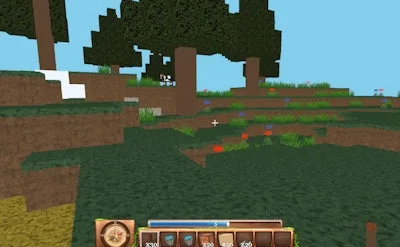
Step into a pixel‑packed universe where every block is a chance to shape your destiny. World Craft blends classic Minecraft vibes with fresh 3D mechanics, letting you mine, craft, and dominate the terrain. The game’s survival mode throws monsters at you every night, forcing you to plan your defenses while gathering resources. If you crave creative freedom and a solid crafting system, this sandbox is your playground.
Controls & Gameplay
- Move: WASD
- Jump: Space bar
- Inventory: Q
- Crafting: C
- Toggle Flying: R
- Destroy block: Left mouse button
- Place block: Right mouse button
- Select inventory block: 1, 2, 3 …
- Pause menu: Esc
Mastering the Craft means mastering resource management. Start with wood and stone; upgrade to iron and then to obsidian for the toughest tools. Build a sturdy base before nightfall to avoid monster onslaughts. Use the crafting menu to fuse items into powerful gear—swords, armor, and even explosives. Keep a balanced inventory; the 1, 2, 3 keys let you switch quickly during combat. Explore caves for rare ores—gold, lapis, and diamonds—to unlock advanced blocks and enchantments. The more you explore, the more you unlock, creating a loop that keeps the gameplay addictive.
Ready to claim your blocky destiny? Join World Craft through GamaVerse and prove your survival skills. Build epic structures, fend off monsters, and dominate the sandbox. The next level of creative freedom awaits—grab your pickaxe and start crafting your legend today.
