





Controls
Left-click to interact.
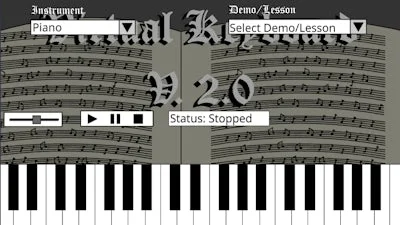
Virtual Keyboard V. 2.0


Play Virtual Keyboard V. 2.0 Online Free
Instructions
Controls
Left-click to interact.
Virtual Keyboard V. 2.0 – Fast‑Track Piano Play
GamaVerse drops a fresh take on casual music gaming. Virtual Keyboard V. 2.0 lets you hammer out riffs, jam solo, or nail the classic theme song in seconds. Swap the classic piano timbre for a gritty guitar, a punchy drum, or any sound you crave. The result? Instant gratification for rhythm junkies and a sandbox for creative Music lovers alike.
Controls are stripped down to the essentials: Left-click to interact. The interface is built for quick sessions and deep mastery.
- Tap a key to produce a note—no lag, no fuss.
- Toggle instrument packs (String Guitar, Drum Kit, Retro Synth) with a single click.
- Record a short phrase and loop it for practice or bragging rights.
- Activate the Flash mode to speed‑up note flow for a challenge run.
GamaVerse’s Sound Lab
Progression is all about precision and experimentation. Start with simple melodies, then layer chords to build richer textures. Master the timing windows to unlock higher Art scores—each perfect hit adds a splash of visual flair. Switch between Piano and alternate sounds on the fly to keep the gameplay fresh. Pro tip: use Flash mode on familiar tracks to boost your combo multiplier and chase that perfect streak.
Ready to dominate the keys? Jump into GamaVerse, fire up Virtual Keyboard V. 2.0, and start turning every click into a riff that echoes across the leaderboards. The stage is set—let your fingers do the talking.
