





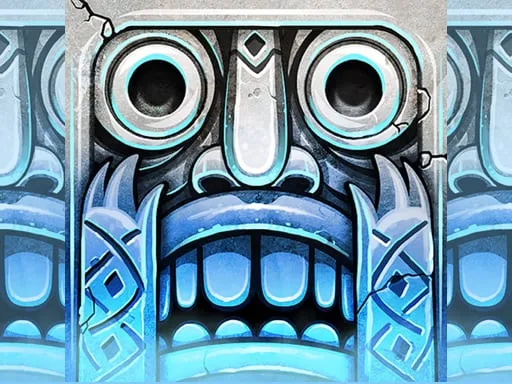
Temple Run Frozen Shadows


Play Temple Run Frozen Shadows Online Free
Instructions
Temple Run Frozen Shadows: Ice‑Cold Chaos in 3D
The ancient temple is buried under a glacier, and the only way out is a frantic run through shattered corridors and slick ledges. You’ve got a golden idol clutched tight, a pack of relentless enemies on your heels, and a world that’s literally cracking beneath your feet. Miss a jump, and the ice shatters. Slip on a frozen trap, and the chase ends. This isn’t just another endless runner – it’s a high‑stakes race against time, physics, and frost. If you love the rush of classic Temple Run but crave sharper visuals and colder obstacles, the frozen map delivers the adrenaline punch you’ve been hunting.
How to Run, Jump, Slide in Temple Run Frozen Shadows
Mastering the controls is the first step to surviving the icy gauntlet. Whether you’re on a keyboard or a touchscreen, the inputs are dead simple, letting you focus on the action instead of fumbling with combos.
- Keyboard Move – Press A / D or Left / Right arrow keys to steer left or right.
- Jump – Hit W or Up arrow key to leap over gaps, low walls, and hanging icicles.
- Slide down – Press S or Down arrow key to slide beneath high barriers and freezing spikes.
- Mobile Move and turn – Swipe left or right to change lanes.
- Mobile Jump – Swipe up to vault over obstacles.
- Mobile Slide – Swipe down to duck under hazards.
Every swipe or keystroke translates instantly to your avatar’s motion, keeping the running flow smooth and relentless. The game’s 3D perspective makes each turn feel like a real sprint through a crystal cavern, and the responsive controls ensure you never miss a beat.
Pro Tips to Own the Frozen Shadows Race
Speed isn’t everything – precision is. Start by mastering lane changes; the narrow ice bridges punish late turns. Keep an eye on the horizon; upcoming obstacles flash faintly, giving you a split‑second to react. Collecting ice crystals boosts your score and fuels temporary power‑ups, so veer toward glowing clusters whenever possible.
Upgrade your gear early. The first few runs should focus on unlocking the “Ice Grip” boost, which slows slide‑duration penalties on slick surfaces. Next, aim for “Frost Leap” – it adds extra height to your jumps, letting you clear the towering ice spires that appear after the 500‑meter mark.
Finally, remember the rhythm of the run. The game’s tempo accelerates every 100 meters, so settle into a steady cadence. When the pace spikes, switch to quick, short swipes instead of long drags. This micro‑adjustment keeps your avatar’s momentum high and the enemies trailing further behind.
Ready to shatter the freeze and claim the idol? Jump straight into the action on Temple Run Frozen Shadows and experience the chill that only GamaVerse can deliver. Join the legion of players who’ve turned icy dread into pure, pulse‑pounding victory. Install now, hit the run, and make the frozen shadows your playground.
