





Controls
PC Controls
- WASD / arrow keys = move
- Left-click = destroy blocks
- Right-click = set block
- Right-click with shift pressed = work with the back layer
- E = Inventory or open the store
- Q = drop item
- Esc = Pause
Mobile Controls
- Left joystick = move
- Right joystick = destroy blocks
- Tap on the screen in an empty space = set a block
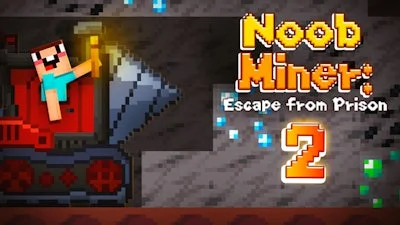
Noob Miner 2: Escape From Prison


Play Noob Miner 2: Escape From Prison Online Free
Instructions
Controls
PC Controls
- WASD / arrow keys = move
- Left-click = destroy blocks
- Right-click = set block
- Right-click with shift pressed = work with the back layer
- E = Inventory or open the store
- Q = drop item
- Esc = Pause
Mobile Controls
- Left joystick = move
- Right joystick = destroy blocks
- Tap on the screen in an empty space = set a block
Crush Rocks and Break Out in Noob Miner 2: Escape From Prison
Life behind bars is brutal, but you aren't staying here forever. In Noob Miner 2: Escape From Prison, you are stuck in a hostile underground facility where survival depends on your ability to break blocks and outsmart the warden. This 2D side scrolling adventure tests your grit as you dig through layers of stone, trade rare ores for better gear, and uncover the dark secrets buried deep within the prison walls. If you love the blocky aesthetic of Minecraft combined with fast-paced progression, this is your new obsession on GamaVerse.
Success requires mastering the layout and your tools. You need to manage your inventory, upgrade your pickaxe, and feed your character to keep your energy high. Whether you are playing as a 1 player champion or just grinding for that next big score, the controls are responsive and built for intense mining sessions.
Master these controls to dominate the depths:
- PC Controls: WASD or arrow keys to move, Left-click to destroy blocks, Right-click to set blocks, Right-click with shift for back-layer work, E for inventory/store, Q to drop items, and Esc to pause.
- Mobile Controls: Use the left joystick to move and the right joystick to destroy blocks. Tap empty spaces on the screen to place blocks.
Strategic Progression and Survival
Mining isn't just about smashing rocks; it’s about playing the market. Prices for ores fluctuate daily, so hold onto your haul until the local merchant offers the highest payout. Spend your hard-earned coins on advanced drills, torches, and dynamite to penetrate harder rock layers faster. As you pixel your way to freedom, keep an eye on your luck stat to boost your yield per block. The NPCs in this prison are keeping secrets, and finding them might just provide the edge you need to complete your escape.
Every second counts when you are aiming for the top of the leaderboard. Build your fortune, upgrade your gear, and navigate the treacherous tunnels like a pro. Think you have what it takes to break out of the most secure facility in the land? Click here to start your Noob Miner 2: Escape From Prison run on GamaVerse and prove you can handle the pressure. Your path to liberation starts with a single pickaxe strike.
