




Your Ad Here
GamaVerse
Click to play
x
Controls
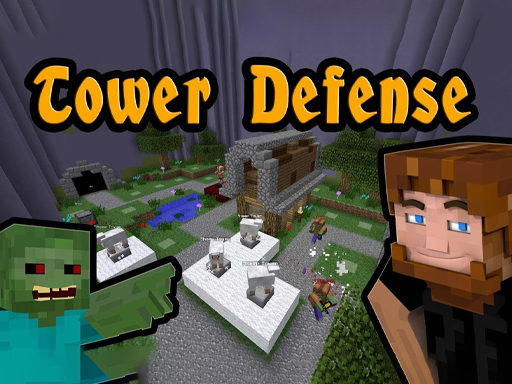
Set your path pick your weapons and DEFEND In this exciting tower defense game you have to defend your base from evil characters such as Creepers Upgrade and build more defense weapons to stop the enemies
Minecraft: Tower Defense

Minecraft: Tower Defense

Minecraft: Tower Defense
Click to play
This game is not available on mobile.
rotate phone

Play Minecraft: Tower Defense Online Free

Instructions

Set your path pick your weapons and DEFEND In this exciting tower defense game you have to defend your base from evil characters such as Creepers Upgrade and build more defense weapons to stop the enemies

Minecraft: Tower Defense – Block‑by‑Block Battle

Pixel‑perfect creepers, skeletons, and a relentless wave of hostile mobs are marching toward your base. Every block you place can be the difference between a glorious victory and a blown‑up spawn point. If you love the sandbox feel of Minecraft but crave the tense, strategic rush of tower defense, this mash‑up hits the sweet spot. Grab your pick, set the line, and watch the chaos unfold.

Set your path, pick your weapons and DEFEND. In this exciting tower defense game you have to defend your base from evil characters such as Creepers. Upgrade and build more defense weapons to stop the enemies.

  • Choose a route for the enemy wave – the path you set determines where towers can be placed.
  • Select from classic Minecraft‑style weapons: arrow towers, TNT cannons, and potion sprayers.
  • Defend your base against Creepers, Zombies, and other hostile mobs.
  • Upgrade each tower’s range, damage, and special effects as you earn resources.
  • Build additional defenses to plug gaps and keep the enemy surge at bay.
Minecraft: Tower Defense Gameplay

GamaVerse Strategy for Minecraft: Tower Defense

Start with low‑cost arrow towers at choke points; they thin out early waves without draining resources. As you progress, swap a few for TNT cannons—perfect for bursting groups of Creepers. Keep an eye on the upgrade tree: a modest boost to splash radius can turn a losing wave into a quick clean‑up. Rotate your defenses after each level; enemy paths shift, so a static layout quickly becomes obsolete. Mastering this rhythm of placement, upgrade, and repositioning is the key to surviving the endless onslaught.

Play Minecraft: Tower Defense on GamaVerse

Ready to put your block‑building skills to the test? Jump straight into the action at Minecraft: Tower Defense and start stacking towers today. For more epic titles and the latest updates, swing by GamaVerse. The battlefield is waiting—lock and load your defenses now.

Customise Consent Preferences Close

We use cookies to help you navigate efficiently and perform certain functions. You will find detailed information about all cookies under each consent category below.

The cookies that are categorised as "Necessary" are stored on your browser as they are essential for enabling the basic functionalities of the site.

Always Active

Necessary cookies are required to enable the basic features of this site, such as providing secure log-in or adjusting your consent preferences. These cookies do not store any personally identifiable data.

Functional cookies help perform certain functionalities like sharing the content of the website on social media platforms, collecting feedback, and other third-party features.

Analytical cookies are used to understand how visitors interact with the website. These cookies help provide information on metrics such as the number of visitors, bounce rate, traffic source, etc.

Advertisement cookies are used to provide visitors with customised advertisements based on the pages you visited previously and to analyse the effectiveness of the ad campaigns.

We also use third-party cookies that help us analyse how you use this website, store your preferences, and provide the content and advertisements that are relevant to you. These cookies will only be stored in your browser with your prior consent.

You can choose to enable or disable some or all of these cookies but disabling some of them may affect your browsing experience.