





Controls
- W A S D to walk around
- Mouse to look around
- Left Mouse Button to shoot
- Right Mouse Button to aim
- Mouse Wheel to switch weapons
- R to reload
- F to pick up items
- Left Shift to run
- Left CTRL to crouch
- X to prone
- Space bar to jump
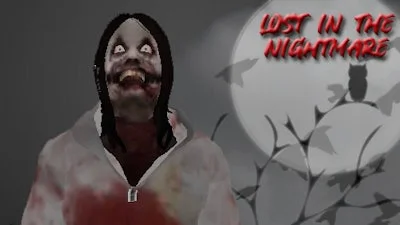
Jeff The Killer: Lost in the Nightmare


Play Jeff The Killer: Lost in the Nightmare Online Free
Instructions
Controls
- W A S D to walk around
- Mouse to look around
- Left Mouse Button to shoot
- Right Mouse Button to aim
- Mouse Wheel to switch weapons
- R to reload
- F to pick up items
- Left Shift to run
- Left CTRL to crouch
- X to prone
- Space bar to jump
Jeff The Killer: Lost in the Nightmare – Step Into the Night
Survive the Darkness with Every Step
You’re not just playing a game—you’re fighting for survival. Jeff The Killer: Lost in the Nightmare throws you into a twisted 3D horror world where the line between escape and death is razor-thin. As the story unravels between you and Jeff, the stakes rise high. Every shadow hides a threat, every door a trap. With zombies lurking around every corner and the killer's relentless pursuit, this is more than a game—it's a test of nerve and reflex. GamaVerse delivers an immersive FPS experience that grabs you by the throat and doesn’t let go.Armed with a variety of weapons, you’ll navigate a decaying world filled with hidden items and deadly traps. The tension builds with every creak and whisper. Whether you’re sprinting for cover or holding your breath behind a crumbling wall, the fear is real. This isn’t just another horror game—it’s a visceral, first-person battle for survival where every second counts.
Master the Controls, Master the Fight
To survive, you must master the controls. Here’s how you take control of the chaos:- W A S D to walk around
- Mouse to look around
- Left Mouse Button to shoot
- Right Mouse Button to aim
- Mouse Wheel to switch weapons
- R to reload
- F to pick up items
- Left Shift to run
- Left CTRL to crouch
- X to prone
- Space bar to jump
Every move you make matters. Whether you're dodging a horde of zombies or trying to sneak past Jeff, your control will define your survival. The more you play, the more you’ll discover the nuances of movement and strategy. It’s not just about shooting—it’s about surviving.
Find the right gear, manage your ammo, and stay sharp. The more you play, the better you get. Strategy is your weapon. Stealth, speed, and timing are your allies. One wrong move and you’ll end up as another ghost in the nightmare.
Play on Jeff The Killer: Lost in the Nightmare and see if you can outlast the horrors. If you're looking for more intense FPS action, head over to GamaVerse, where your next battle awaits. Don’t wait—grab your weapon and step into the nightmare before it steps into you.
