





Controls
Use your mouse to play this game.
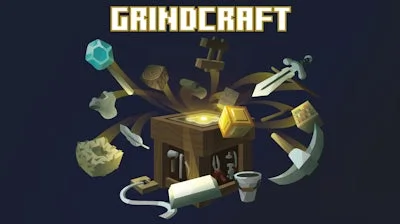
GrindCraft


Play GrindCraft Online Free
Instructions
Controls
Use your mouse to play this game.
GrindCraft: The Click‑er That Turns Pixels Into Power‑Ups
GrindCraft drops you into a retro‑styled sandbox where every click feels like a block‑by‑block Minecraft build. It’s an Idle masterpiece that rewards patience and fast clicks in equal measure. Raw ores, wood, and oddities spawn as tiny Pixel icons, begging to be harvested. The moment you start stacking resources, the game whispers a simple promise: keep grinding, keep crafting, and watch your empire tower above the rest.
Controls are stripped down to the essentials—Use your mouse to play this game. The interface is clean, so you can focus on the core loop:
- Click on resource nodes to gather ore, wood, and gems.
- Watch the idle timer fill; each tick adds a burst of materials.
- Open the Crafting menu to combine raw goods into stronger gear.
- Upgrade click power and idle gains with the points you earn.
- Repeat the cycle, unlocking new tiers of items as you progress.
Mastering GrindCraft’s Crafting Loop
Success hinges on timing and resource allocation. Early on, pump every click into Crafting basic tools—pickaxes, torches, and simple armor. Those items boost both click strength and idle yield, creating a feedback loop that accelerates progress. As you climb the ladder, prioritize upgrades that increase auto‑generation; the idle engine becomes your silent partner, filling the inventory while you hunt for the next big recipe. Keep an eye on the “hover‑info” panel: it tells you exactly which raw materials each new item demands, so you can plan ahead and avoid wasted clicks.
Ready to dominate the pixel frontier? Dive into GrindCraft now, and let GamaVerse’s polished sandbox engine turn every tap into a milestone. The grind never felt this rewarding—join the community, smash those numbers, and watch your empire rise.
