





Controls
- WASD or arrow keys to move the camera
- Space bar to slow time
- R to restart a level
- Drag left mouse button to select pawns
- Right mouse button or E to send the pawns
Factions


Play Factions Online Free
Instructions
Controls
- WASD or arrow keys to move the camera
- Space bar to slow time
- R to restart a level
- Drag left mouse button to select pawns
- Right mouse button or E to send the pawns
Factions: 360‑Degree RTS That Packs a Punch
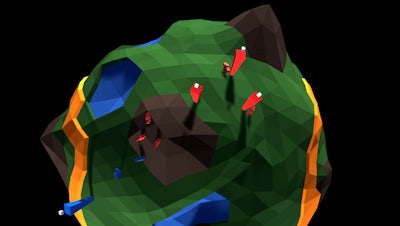
GamaVerse drops a tight‑focused, 3D battlefield into your hands. A tiny planet spins under a bold splash of Color, and every base you seize shifts the balance of power. Capture, command, and dominate the globe before your rivals can regroup. The moment you lock eyes on that rotating world, you’ll feel the rush of a true strategy showdown.
Mechanics
Control feels razor‑sharp. Move the camera, pause time, and command troops with just a few clicks.
- Controls WASD or arrow keys to move the camera
- Space bar to slow time
- R to restart a level
- Drag left mouse button to select pawns
- Right mouse button or E to send the pawns
Strategy
Victory hinges on positioning and timing. Early on, rush the nearest outpost to lock down resources. The planet’s 360‑degree view lets you spot flank routes you’d miss on a flat map. Use the Space bar slowdown to thread pawns through enemy fire and pull back when the odds turn. Keep an eye on Color cues: glowing bases signal high‑value loot, while dimming towers warn of incoming assaults. Upgrade your pawn squads as you progress, then cascade the upgrades across the board for a wave of unstoppable force. Master the rhythm of pause‑and‑push, and the planet will bend to your will.
Stop watching and start conquering. Grab Factions now, and let GamaVerse prove that a small world can deliver a massive strategic punch.
