





Car controls
- WASD or arrow keys to drive
- Space bar to use handbrake
- C to change camera view
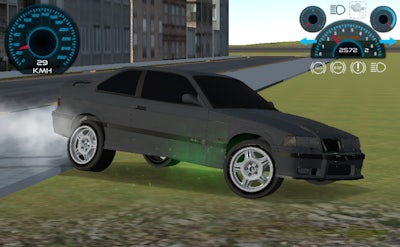
Drift Runner 3D


Play Drift Runner 3D Online Free
Instructions
Car controls
- WASD or arrow keys to drive
- Space bar to use handbrake
- C to change camera view
Drift Runner 3D – Pure Adrenaline on Asphalt
Feel the roar of a tuned Car as you carve the streets of a sprawling metropolis. This isn’t a race‑track sprint; it’s a Simulation built for the art of Drifting. Every corner offers a fresh canvas for smoke‑filled slides, and the city’s neon glow makes every turn a spectacle. If you crave instant gratification and endless skill‑sharpening, the open‑world playground of Drift Runner 3D delivers the rush you’ve been hunting.
Master the controls and own the asphalt. The game’s input scheme is stripped down to the essentials, letting you focus on precision:
- WASD or arrow keys to drive
- Space bar to use handbrake
- C to change camera view
Drift Runner 3D Strategy – Keep the Smoke Rising
Speed alone won’t win you points; balance does. Start in the city’s tight alleys to practice low‑speed drifts, then head to the hills for high‑velocity slides that generate massive smoke trails. Upgrade your tire grip and tweak suspension settings in the garage to maintain control when the g‑forces climb. Keep an eye on the mini‑map: the longest, most continuous drift streaks earn bonus multipliers. Mix camera angles—switch to the rear view for perfect entry angles and flip back for a cinematic finish.
Ready to dominate the streets? Grab the wheel, fire up the engine, and let GamaVerse guide you through the ultimate 3D drifting playground. GamaVerse brings the thrill straight to your screen—install now and start carving your legend in Drift Runner 3D.
