





Controls
- [Action]: [Keyboard input] -- [Gamepad input]
- Move: WSAD/Arrows -- Left Stick/D-Pad
- Jump: Space bar/C -- Bottom Face/Left Bumper
- Punch: P/Z -- Left Face/Right Face + Direction
- Dash: O/X -- Top Face/Right Bumper + Direction
- Break Attack: Hold Dash + Press Punch + Direction (can also be done with the Right Stick on Gamepad)
Notes
- Has full gamepad support
- Remap inputs in the options menu
- "Tap up to Jump" can be set
- Gamepad Stick Deadzone can be set between 10% and 85% of the gate radius
- The game is currently only playable in Chromium-based browsers, e.g. Chrome
To ensure your gamepad controls are working, you can open a Visualizer for your inputs by going to Options -> Video -> Display Inputs. These show the real-time inputs from your controller regardless of what's happening in the game.
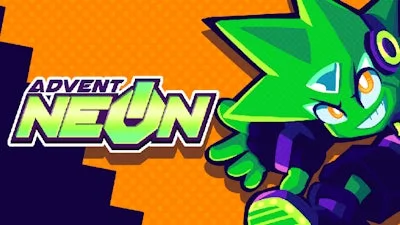
Advent NEON


Play Advent NEON Online Free
Instructions
Controls
- [Action]: [Keyboard input] -- [Gamepad input]
- Move: WSAD/Arrows -- Left Stick/D-Pad
- Jump: Space bar/C -- Bottom Face/Left Bumper
- Punch: P/Z -- Left Face/Right Face + Direction
- Dash: O/X -- Top Face/Right Bumper + Direction
- Break Attack: Hold Dash + Press Punch + Direction (can also be done with the Right Stick on Gamepad)
Notes
- Has full gamepad support
- Remap inputs in the options menu
- "Tap up to Jump" can be set
- Gamepad Stick Deadzone can be set between 10% and 85% of the gate radius
- The game is currently only playable in Chromium-based browsers, e.g. Chrome
To ensure your gamepad controls are working, you can open a Visualizer for your inputs by going to Options -> Video -> Display Inputs. These show the real-time inputs from your controller regardless of what's happening in the game.
Advent NEON: Neon‑Lit Battle Platformer That Thrills
Neon lights flash, synth beats pulse, and the screen scrolls at breakneck speed. In Advent NEON, every level feels like a high‑octane side scrolling showdown. You’re a rogue runner armed with kinetic punches, dashing through a cyber‑city that never sleeps. The moment you hit “start,” the rush of 2D fighting action hits hard—there’s no time to waste, only enemies to destroy.
GamaVerse Gameplay Controls
Master the controller or keyboard, then let the neon world bend to your will. The input scheme is razor‑sharp, giving you total freedom to chain combos and smash obstacles.
- Move: WSAD/Arrows — Left Stick/D‑Pad
- Jump: Space bar / C — Bottom Face/Left Bumper Punch: P / Z
- Punch: Bottom Face/Left Bumper — Press P (Keyboard) or Z (Gamepad)
- Dash: Left Face/Right Face + Direction — O / X
- Break Attack: Hold Dash + Press Punch + Direction — can also be done with the Right Stick on Gamepad
- Notes: Full gamepad support, remappable inputs, “Tap up to Jump” toggle, deadzone adjustable from 10%–85%.
- Only runs in Chromium‑based browsers (Chrome, Edge, Brave). Verify your controller via Options → Video → Display Inputs.
Strategy in Advent NEON is simple: keep moving, keep fighting. Chain a dash into a punch, then unleash a break attack to shatter a wall and reveal hidden power‑ups. Learn each enemy’s pattern; most can be destroyed with a single charged hit if you time the break attack right. Collect neon shards to upgrade your speed and damage, then revisit earlier stages for faster runs. The level design rewards precision platforming—miss a jump and you’ll crash into a laser grid, resetting your combo meter.
Ready to light up the night? Grab a controller, lock in your settings, and blaze through the neon streets. GamaVerse built this arena for players who crave pure, unfiltered action. Jump in, dominate the battle, and prove you can survive the ultimate 2D fighting gauntlet. The city waits—make it yours.
